Google Releases Nano Banana Pro: Things You Should Know
A new AI model from Google. Better visuals. Sharper text. More control. The story of how Nano Banana Pro could redefine the way we create images.

Some victories shout. This one, though. It slips in quietly into a simple prompt box, acting like it never left. Say hello to Nano Banana Pro, which belongs to the latter group. Made by Google, it’s set up for photos with more detail and text rendering better than its predecessor. It might seem small. Even so, it’s changing the way we create visuals.
It’s a new image tool from Google DeepMind, built on top of the Gemini 3 Pro Image framework, so this changes how creativity works in Google’s apps.
We’ll break down how this model runs, show what makes it matter, and then shift into where visual AI might head next.
What Nano Banana Pro Actually Is
Nano Banana Pro is a smarter picture tool from DeepMind, rolled out in late 2025 through the Gemini app. Soon after, it showed up in Google Workspace tools like Slides and Vids. Business versions, such as Vertex AI, have started running it at roughly the same point.
Google’s guides point out several things.
- Better text inside images
Back then, text in AI images was usually messy. But today, it’s clear and clean, even in tough scripts. Not just English. It works well in various other languages, too. Say you’re making a poster or slide — It looks tidier. Words line up right and pop more from the background. This makes it useful for posters, presentations, and marketing assets. - Crisper images without shifting around
The model produces sharper images with better lighting, structure, and styling. Yet while Gemini 3 Pro’s visual reasoning stays locked in, shifts can spiral fast. - Multi-image blending
This part seems a bit chaotic. People dump up to 14 images, but somehow the tool mixes ideas, colours, or styles. Creators enjoy it since it builds unified visuals. - Smooth editing tools
Google integrated editing capabilities like extending images, removing elements, and refining objects. Stretch a frame, clear the mess, adjust something. You can do all this in the Gemini app, Google Slides, or Google Vids without jumping between apps. - Enterprise-ready features
For companies, the model is available through Vertex AI, where teams can create brand-consistent assets at scale. It supports safety filters and enterprise-grade controls that help prevent misuse.
All things considered, Nano Banana Pro fits real tasks. Not some sci-fi gimmick. It’s practical without being flashy.
Why This Model Matters
The world is flooded with image generators. Yet Nano Banana Pro grabs attention, since it lives right inside the apps people use daily.
- Creative tasks get simpler
Open Slides instead of bulky apps, get clean results fast. Students, founders, educators, freelancers. Skip the hassle, start right away. - Better text means clearer messages
Now words hold up better. So ads, thumbnails, pitch decks, or even storyboards actually work instead of being just experimental. - Multiple images help keep a uniform brand look
Startups struggle to keep everything visually aligned. Yet this model picks up colour, shape, and style from example images. Soon enough, everything looks like it belongs. No endless design sessions needed. - Safe and scalable for businesses
Vertex AI puts up safety nets. That steadiness matters for companies that can’t risk messy content slipping through.
Basically, this makes AI images practical. Dependable stuff that works fast.
Where You Will See Nano Banana Pro in Action
Many areas are sensing this shift now. Some are even reacting fast.
- Marketing and Branding
People whip up ads, landing visuals, and social posts quickly. Yet brand tones stay consistent. That means less hassle and more peace of mind. - Education
Teachers create examples fast. Children see clearer visuals for their work. - Video production
Google Vids helps people create scenes and storyboards using this tech. Smaller teams can now achieve slick results without being tied to huge spending. - Product design concepts
Sketches or photos. Toss them in, then play around with ideas. This is where multi-image blending works best. - Corporate teams
Pitch decks, training slides, internal briefs. Visuals work better when they need fewer tweaks.
Designers aren’t going anywhere. They just move faster and gain more room to explore.
Practical Use Cases and Who Benefits
Nano Banana Pro works best when it slips into everyday tasks. Different teams can use it for different goals, and these examples show how specific prompts translate into real outcomes.
- Marketing Teams
Marketers need visuals that stay consistent with brand colours and message clarity. Nano Banana Pro handles this without leaning on heavy design tools.
Teams can generate campaign assets, product images, or polished brand visuals fast.
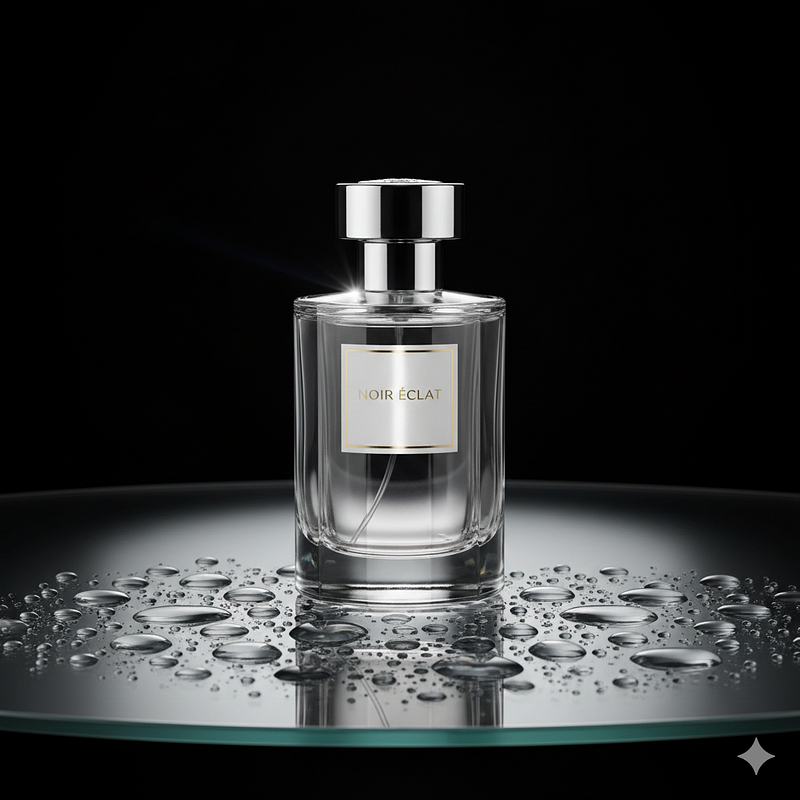
Example Prompt (kept intact):
Create a studio photo of a luxury perfume bottle on a glass table with water droplets. Use a black background and soft spotlights from both sides. Add a light reflection on the bottle for depth.
Who benefits:
Brands creating ads, landing page visuals, or social media creatives that require a premium, polished feel.
2. Product, Design, and UX Teams
Designers often need mood boards, concept variations, or high-quality prototypes quickly. Multi-image blending and cleaner text help bring product ideas to life at scale.
Example Prompt:
Design a creature that is half dragon and half owl. Give it silver feathers, glowing blue eyes, and large wings. Place it on a snowy mountain peak. Use dramatic lighting from the left side.

Who benefits:
Design teams exploring character concepts, product prototypes, illustrations, or early-stage creative directions.
3. Creative Production and Storytelling Teams
Video creators, writers, or storyboard artists can build scenes and expressions without full production setups. Sharp text and stable structures help in pre-visualization.
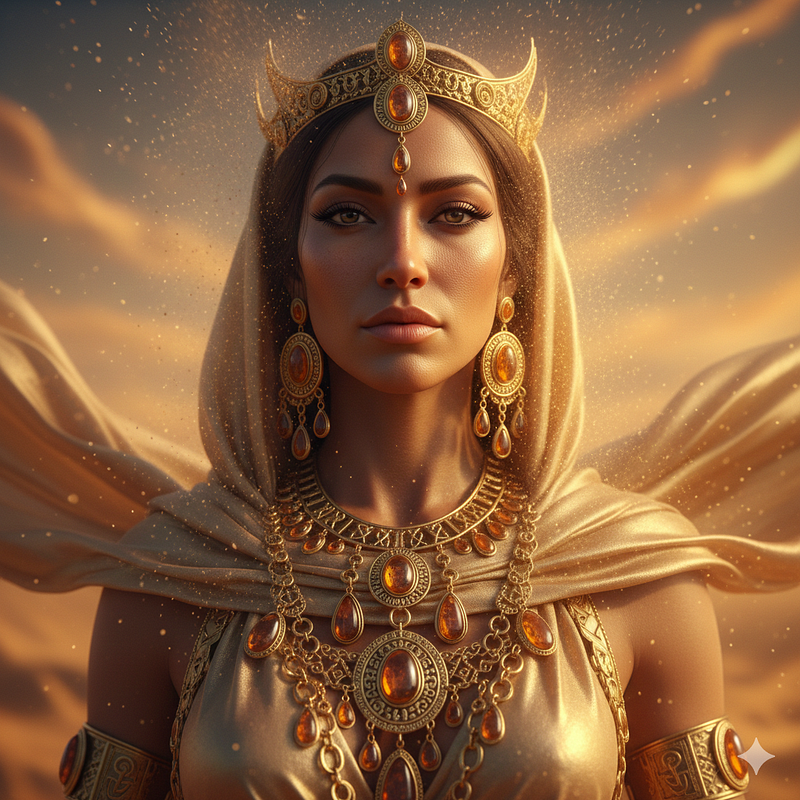
Example Prompt:
Create a hyper real portrait of a desert queen standing in a glowing sandstorm. Add tiny particles floating around her. Use soft gold lighting, detailed skin texture, and sharp jewelry reflections. Keep the background blurred to focus on her face.
Who benefits:
Content studios, filmmakers, and startup founders working on pitch decks, hero visuals, world-building, and narrative concepts.
4. Corporate, HR, and Operations Teams
Internal teams often need diagrams, slides, hiring workflows, or training visuals. Clear text rendering and structured compositions save hours of manual design effort.
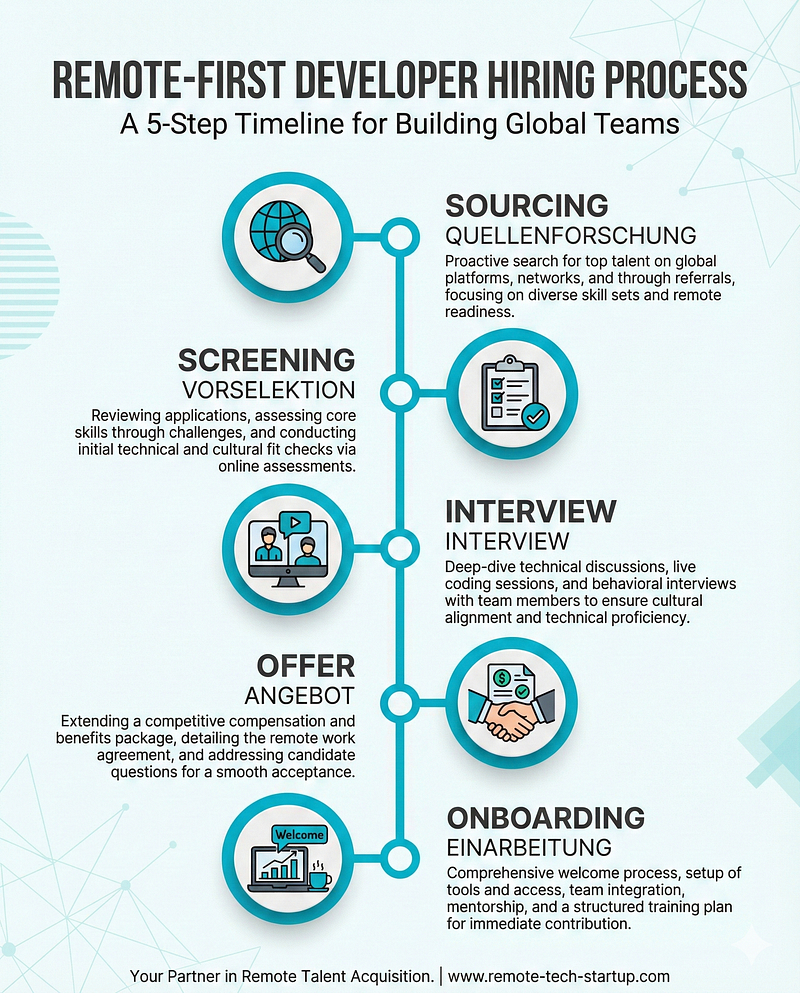
Example Prompt:
Create a high-resolution (4K) infographic for a remote-first tech startup, showing the timeline of a developer hiring process in five steps (sourcing → screening → interview → offer → onboarding). Use a clean, modern flat design, brand palette of teal (#00B8D9), dark grey (#333333), and white. Include legible text labels for each step in English and translate the labels into German underneath. Use icons for each step (e.g., magnifying glass, checklist, video interview, handshake, laptop open). Set the layout for a LinkedIn post (1080×1350 vertical).
Who benefits:
HR teams, founders, and operations managers who need high-quality process visuals without relying on dedicated designers every time.
A Quiet Revolution in Creative Tools
Big changes start small. Nano Banana Pro gives a subtle push. AI slips into your routine without feeling like yet another app to figure out.
A couple of details stand out.
- AI visuals are getting more accurate
The struggle with text is fading. The struggle with structure is fading. Slowly, it’s feeling more natural. - People don’t want more tools. They want better tools where they already work
Google slips AI into apps people use daily. Suddenly, it fits right in. - AI models are becoming collaborative partners
You focus on concepts. The system takes care of routine tasks. Like a teammate instead of a substitute.
This shift is subtle but powerful. It changes who can create and how fast they can bring ideas to life.
Conclusion
Nano Banana Pro isn’t regular software. Instead, it’s a souped-up version of DeepMind built to boost creative tasks with better accuracy. Images come out sharper, words flow smoothly, and fixes take less effort. Everything slips right into the tools people use every day.
It points to a bigger shift. AI-powered creativity is moving out of niche apps and settling into everyday tools. Individuals, teams, or companies can make things easier now, skipping complicated software. Instead of depending on expert-level tech, they’re using smarter helpers baked into familiar apps.
The future of AI images shows up slowly, hidden inside apps we already use. One request at a time. Nano Banana Pro points toward that change. Solid work isn’t about fancy gadgets anymore. Often, it’s about picking a system that actually understands your idea.
Looking to build a high-performing remote tech team?
Check out MyNextDeveloper, a platform where you can find the top 3% of software engineers who are deeply passionate about innovation. Our on-demand, dedicated, and thorough software talent solutions provide a comprehensive solution for all your software requirements.
Visit our website to explore how we can assist you in assembling your perfect team.