Meet Moltbot: The AI Assistant That Finally Goes Beyond Chatbots
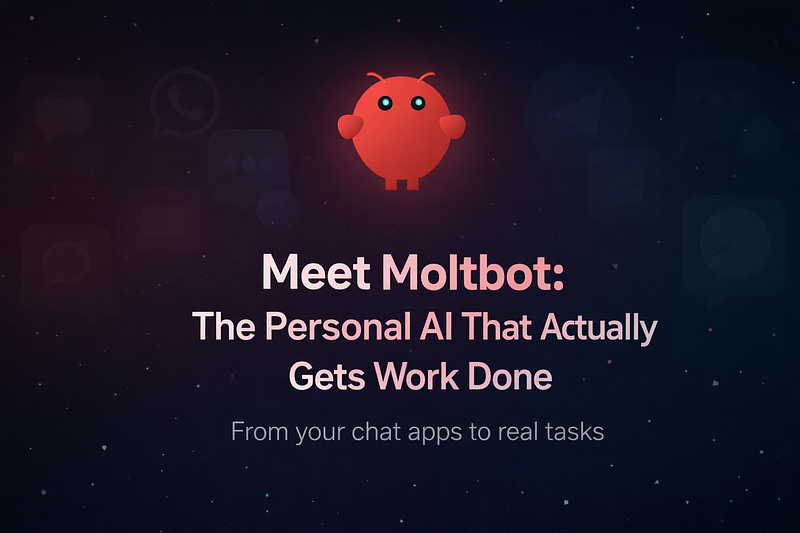
If you’re looking for a new AI tool, this year has given us something quite exciting. Clawdbot has been renamed to Moltbot, and it is rapidly becoming one of the most well-known personal AI assistants in the tech world. It stands out from your average chatbot as it can execute real tasks, not just spew out text responses. Coming running over into the scene, Moltbot’s meteoric rise has been a bit of a rollercoaster, with many people taking notice and others feeling uneasy about its rapid spread.
Below, we’ve broken down a straightforward guide to Moltbot, how it functions, why it’s gone viral, what it can do, and what you need to keep in mind when using it.
Why Moltbot Is Getting Attention
It made headlines as Clawdbot and raked in tens of thousands of stars on GitHub as an open-source AI project. Coming hustling over off the heels of a trademark request from AI research company Anthropic, which is behind Claude, it was renamed to Moltbot in late January ‘26.
Built by Peter Steinberger, the Moltbot was designed to be different from the run-of-the-mill AI chatbots, and its ability to interact with apps and carry out tasks for the user really sets it apart.
What Moltbot Is and How It Works
Self-Hosted, Agent-Driven Assistant
The AI assistant stays local, running on your computer, server, or cloud instance, when you install Moltbot. This is a far cry from web-hosted chatbots like ChatGPT, and it’s what makes Moltbot able to remember your conversations and seamlessly integrate with your accounts and apps.
Moltbot functions by using a gateway service that connects messaging platforms such as WhatsApp, Telegram, Discord, Slack, and iMessage, and one or more large language models. What you send via these apps is all that’s needed, and Moltbot takes over from there.
Getting Started
To deploy Moltbot, you typically:
- Install the main app on a machine you own (Mac, Windows, Linux).
- Select one or more AI engines to be used for the assistant (say, OpenAI GPT-4, Anthropic Claude, or local models).
- Enter API keys or model access credentials.
- Link Moltbot with messaging services to communicate with it just like any other contact.
After that, it runs continuously, maintains local context and memory, and takes commands through chat in natural language.
Key Technical Traits
- Its persistent memory allows it to remember your preferences and any ongoing tasks, and can initiate communications through proactive messaging, sending reminders and alerts, when working with Moltbot.
- Coming from a model-agnostic perspective, you can feed it OpenAI, Claude, a local model, or any other model.
- Full system control enables it to execute shell commands, manage files, automate scripts, and fill out forms.
Practical Use Cases
Looking at the capabilities of Moltbot, it’s really its ability to be applied to real-life tasks that sets it apart. Here are a few examples of how people are using it.
Task Automation
- You can ask Moltbot to clear your inbox, manage your schedule, and check you in for flights or appointments.
- Essentially, perform tasks you’re already doing, but don’t want to do manually.
- Routine messages like reminders or confirmations can also be sent, which frees up time for you.
Messaging-First Interaction
- Because it integrates with the apps you already use, you don’t need to learn a new interface: asking WhatsApp “Summarize unread messages from today” gives you a concise report, and telling Telegram “Find the latest Q4 report on my desktop” yields the file path as a response.
Developer Workflows
Many developers have turned to Moltbot to streamline their tasks when working with technology-
- Coming into the coding world, Moltbot uses AI to scan and generate code.
- It is also great for automating shell tasks such as rearranging files and running scripts.
- It can deliver daily research summaries on the subjects you care about.
These real-world examples showcase Moltbot no longer being seen as a novelty, but rather as a highly competent AI assistant that can be controlled using natural language commands.
Risks and Considerations
Since Moltbot has access to your systems and accounts, you need to be aware of the weight of its capabilities.
Security Risks
Coming from a security perspective, since Moltbot is able to send low-level system commands and has access to login information, it poses the risk of being a backdoor into your system if it’s not set up correctly.
Well-known problems of prompt injection and exposed keys have been discussed in the community, and there is a clear recommendation to avoid running Moltbot on public or shared systems without sandboxing, as well.
Technical Barrier
The average user won’t be able to cut through all the technicalities; it’s essentially designed for developers and tech-savvy people when setting up Moltbot. They’ll need to be familiar with terminal commands, hosting, and API management, which isn’t exactly for everyone.
Open-Source, Community-Powered, and Evolving
Coming from its infancy, the Moltbot is completely open-source, licensed under the MIT, and has a large, industrious community that’s continuously adding new features and integrations. Its extensive documentation, support forums, and modular structure mean that the project is evolving very rapidly, and users can add to its capabilities over time.
Many of its early adopters see the Moltbot as a harbinger of the potential of personal AI, when it can be detached from web-based chat interfaces and connected to the tools that we all use.
Why People Are Talking About Moltbot and the Mac mini
One of the most interesting side effects of Moltbot’s viral rise has been renewed interest in a particular piece of hardware: Apple’s Mac mini. Across tech communities, developers and enthusiasts have been buying Mac minis specifically to run Moltbot locally 24/7. This trend has been covered by multiple outlets and reflects how some users think about hosting always-on AI agents in practice.
Why People Are Talking About Moltbot and the Mac mini
One of the most interesting side effects of Moltbot’s viral rise has been renewed interest in a particular piece of hardware: Apple’s Mac mini. Across tech communities, developers and enthusiasts have been buying Mac minis specifically to run Moltbot locally 24/7. This trend has been covered by multiple outlets and reflects how some users think about hosting always-on AI agents in practice.
What’s Driving the Mac mini Hype
Early adopters began to purchase Mac minis because Moltbot is designed to run locally on a user’s machine, maintaining context, memory, and proactive automation without relying on cloud servers. For people who want a dedicated, always-on setup, a Mac mini feels like a practical option:
- Always-on availability. Moltbot isn’t a one-off tool you open and close. Its real value appears when it can respond instantly inside messaging apps and execute tasks anytime, day or night. A Mac mini can stay powered 24/7 without occupying a laptop battery or interrupting your main workstation.
- Compact and energy-efficient. Unlike larger desktops or full-sized workstations, Mac minis are small, quiet, and consume relatively little power. This combination makes them appealing as a dedicated AI host.
- Apple ecosystem compatibility. For users embedded in Apple’s ecosystem — especially those using iMessage or macOS tools — the Mac mini provides seamless integration with a local Moltbot instance.
Tweets, forum posts, and even memes have shown developers unboxing Mac minis and installing Moltbot, leading some commentators to call it a “Mac mini revival”. Searches for “Mac mini” spiked in parallel with Moltbot’s viral buzz, suggesting a clear correlation between the two.
Do You Need a Mac mini for Moltbot?
The short answer: no. Despite the hype, Moltbot can run on a wide range of hardware. It doesn’t require Apple silicon specifically or even a Mac at all. Instructions and community setups show you can deploy Moltbot on:
- Virtual private servers (VPS) — even on free tiers, which means you can have a reliable, always-on instance without buying hardware.
- Old laptops or desktops — repurposed machines can host Moltbot as long as they meet minimal requirements (Node.js environment, enough RAM, and storage).
- Windows or Linux machines — Moltbot is platform-agnostic and not locked to any specific operating system.
Many experts and even Moltbot’s creator have publicly discouraged buying a Mac mini just for the sake of it, noting that a basic cloud or home server setup often accomplishes the same goal without added cost.
When a Dedicated Machine Makes Sense
That said, there are real scenarios where a dedicated box like a Mac mini can be useful:
- Home server use. If you want a non-stop Moltbot instance that doesn’t interfere with your daily computing or drain your laptop battery, a small machine you leave running can be more convenient.
- Stable local environment. Having Moltbot on hardware you control fully can simplify networking, local backups, and OS-level integrations like file access or automation scripts.
- Experimentation and learning. For developers or hobbyists curious about hosting AI agents themselves, a Mac mini or similar dedicated machine offers a sandbox that avoids impacting personal or work devices.
Final Thoughts
When considering Moltbot, you’re not just looking at a run-of-the-mill AI chatbot; you’re getting a self-hosted personal assistant that’s capable of real-world actions, has a persistent memory, sends proactive messages, communicates with multiple platforms, and delves into the depths of the services you use every day.
Coming fast onto the scene, Moltbot is a sign that people are starting to look for an AI that doesn’t just respond to them, but works for them.
Well-known to be powerful, the capabilities of Moltbot should be taken seriously, and its security and technical readiness need careful examination. For developers and technophiles, it’s the first taste of AI changing the way we live and work in the digital world, but it needs more consideration in terms of technical ability and willingness.
If you’re looking for a personal assistant to seamlessly run tasks across multiple apps and systems on its own, Moltbot is worth a look, provided it’s run in a secure and controlled environment.
Looking to build a high-performing remote tech team?
Check out MyNextDeveloper, a platform where you can find the top 3% of software engineers who are deeply passionate about innovation. Our on-demand, dedicated, and thorough software talent solutions provide a comprehensive solution for all your software requirements.
Visit our website to explore how we can assist you in assembling your perfect team.