Why Developers Are Quietly Switching to Claude for Real Work
If you asked a developer in 2024 which AI coding assistant they use, they would probably have said “ChatGPT”. Today, If you ask a developer who has been using AI to write production code for two years, they might say something different. They might pause for a moment, then say, “I mostly use Claude now for the things that really matter.”
This is not a sudden change.
There was no announcement or famous person who started using Claude. It is just that when you start using AI for work, you need something you can trust. When you are working on a project that people are actually using, and you are getting paid to do it, you need an AI tool that can help you with the parts.
Claude has been getting a reputation because it is the AI tool that engineers trust when it counts.
So what is making developers switch to Claude?
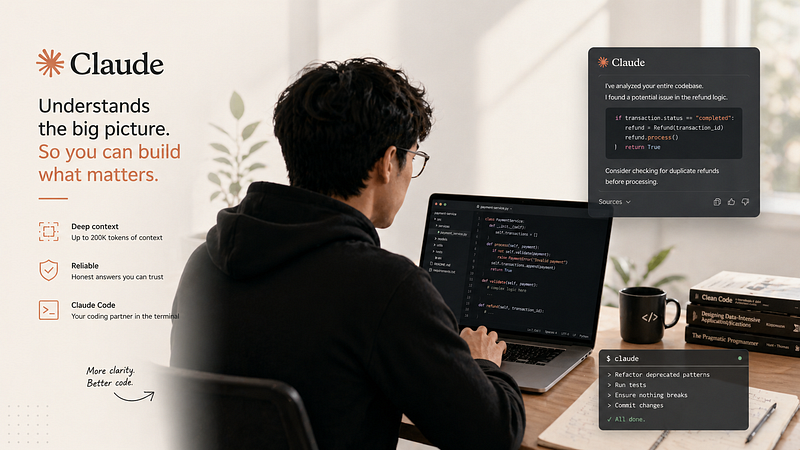
One big reason is that Claude can understand a lot of context. It can look at up to 200,000 tokens of context, which is like 150,000 words. This means it can look at a part of a codebase and understand how it all fits together.
Most AI tools are not very good at this. You have to paste in a line of code, ask a question, and hope the answer is right. Claude can look at the whole codebase and give you a better answer.
A developer at a fintech company said that when she switched to Claude, it was like having a new tool. She could paste in her entire payment service. Ask Claude to find a problem, and it would actually do it. It would not just guess, it would look at the codebase and find the problem.
Another reason developers like Claude is that it does not make things up. Sometimes AI tools will give you an answer that sounds right, but is actually wrong. This can be frustrating and make you not trust the tool.
Claude is different. If it is not sure about something, it will say so. It will say, “I am not sure about this; you should check the documentation”. This is really helpful because it means you can trust the answers you get from Claude.
So what does it mean to do “real work” as a developer?
It means working on projects that are actually being used by people, and that have to be of good quality. It means debugging problems at 2 am and refactoring code without breaking it.
It means you need a tool that can help you with these tasks. You need a tool that can understand a lot of context, and that will not make things up, and that is what Claude is.
Claude Code is a tool that you can use from the command line. It is like having a colleague who can help you with your code. You can ask it to rename all instances of a deprecated pattern, and it will do it. You can ask it to run tests and stop if anything breaks, and it will do it.
Developers who use Claude Code say it feels like having a colleague, not just a tool. They can give instructions, and it will do them without having to worry about making mistakes.
- People often ask if Claude is better than ChatGPT for coding.
The answer is that it depends on what you’re doing. If you are working on a project that requires a lot of context, Claude is probably better. If you just need help with a simple task, ChatGPT might be fine.
2. They also ask what Claude Code is and if it is worth trying.
Claude Code is a terminal-based tool that can help you with your code. It is worth trying if you do a lot of refactoring or codebase exploration.
3. Some people ask how to choose an AI coding tool.
The answer is to try it out and see if it works for you. Give it a spec and see if it asks for clarification. Paste in some legacy code, and see if it preserves the original intent. Ask a question about a niche library, and see if it admits uncertainty.
4. They also ask how to find software developers who actually use AI well.
The answer is to ask them about a problem they solved with AI assistance. If they can tell you how they verified the output and what the model got wrong, they are probably a good developer.
5. Finally, people ask how to find a software developer for their project.
The answer is to look for someone who has depth and AI fluency. They should know when to trust the AI and when to verify it. You can find these developers by looking at their open-source work or by asking for referrals from developers.
In cities like London, you can find senior software developers by looking at communities like SilverTech and Tech London Advocates. You can also use platforms like Arc.dev to find remote developers.
The important thing is to find a developer who is a good fit for your project. You should not just standardise on one AI tool; you should let your developers use what works best for them.
Let people choose what they want. Make sure they are using the same criteria to evaluate things. You want every engineer on your team to be able to say why they trust or do not trust a given output, not which model they like. It is okay to use tools, but the problem is when you rely too much on one tool.
The teams that are using Artificial Intelligence the most in 2026 are using Claude for things that need a lot of thought and reasoning, and Copilot for things that need to be done in the editor, and a search tool for things that need live data. This is not confusing; it is just using the tools for the job.
The honest caveats
Claude is not the tool for everything, and the people who have switched to it will tell you that. For things that need data or need to be done quickly in the editor, other tools are still better. Gemini 3.1 Pro is good for large projects, but most developers do not need that. For simple tasks, all the models are about the same speed.
The reason people are switching to Claude is not just that they think it is a good tool. It is because Claude is good at the things that need a lot of thought and reasoning. This is a useful way to think about it rather than just arguing about which Artificial Intelligence tool is the best.
What we can learn from this
The people who are switching to Claude are not doing it because of what they read; they are doing it because it solves a problem they have. They are working on problems, and they need an Artificial Intelligence tool that can understand the whole problem, follow instructions carefully, and tell them when it is not sure. These things sound easy. They are actually very hard to do.
TL;DR
Developers are quietly moving to Claude for serious work because of its massive 200K token context window, better instruction-following, and a tendency to admit uncertainty rather than hallucinate. Claude Code brings AI directly into the terminal for complex, multi-step tasks like refactoring entire codebases. The shift isn’t ideological; most engineers still use Copilot for autocomplete. It’s pragmatic: Claude handles the hard, high-stakes problems better. Narrow and right beats broad and unreliable.
Looking to build a high-performing remote tech team?
Check out MyNextDeveloper, a platform where you can find the top 3% of software engineers who are deeply passionate about innovation. Our on-demand, dedicated, and thorough software talent solutions provide a comprehensive solution for all your software requirements.
Visit our website to explore how we can assist you in assembling your perfect team.