
You will not believe how much time AI can save you until you try this
You probably think AI might save you a few clicks. In reality, most people who use it properly free up hours every single week. Here is how.
We are all underestimating AI
Ask people how much time AI can save them, and most will say something like. “Maybe 10–15 minutes a day.”
The facts show something else entirely — yet they’re often ignored.
- A recent Microsoft poll showed three out of four office workers now use AI tools — mainly because they’re swamped with tasks
- Studies from BCG suggest roughly 50% of workers using generative AI save over five hours weekly.
- An Adecco Group survey says employees keep about 52 to 75 extra minutes daily, depending on the industry.
- A 2025 EY study showed workers gained nearly eight extra hours weekly — once AI became part of their routine tasks — thanks to smoother processes.
Even on the lower side of these figures, AI isn’t just a shortcut— it’s more like reclaiming a full day each week. While that might sound wild, think about it: small time savings add up fast when they happen daily.
Still, lots of folks treat AI like a high-tech Google substitute rather than a serious productivity tool. What matters is your approach.
What the research actually says about productivity
Some trustworthy research has looked at how AI performs in test environments. Here are a few key points-
- Some coders finish work way quicker when they use smart AI tools — research shows it could take half the time.
- A big experiment involving over 700 consultants — done by Harvard Business School and Boston Consulting Group — found that people using AI finished more work, about 12.2% extra, and with higher quality than those who did not use AI.
- A 2025 study pulled together findings from different areas, showing that smart use of generative AI cut task time by 80–90%. These results popped up across various job types.
- On a company scale, McKinsey says generative AI might boost work efficiency by 0.1 to 0.6 percent of labour productivity growth per year through 2040.
This is not just tech hype. When used with some structure, AI reliably speeds up knowledge work. Especially tasks that are —
- Text-heavy — writing, editing, and summarising
- Pattern-based — coding, analysing similar documents, drafting standard replies
- Repetitive but not fully automatable — reporting, meeting notes, research synthesis
So how does that translate into daily life?
Where your time quietly disappears. and how AI gives it back
A regular office worker — say, a marketer or startup boss. Could also be a project lead or someone working solo. Each day usually gets eaten up by four main things. One after another, they pile on without warning.
1. Writing from scratch
Just you. No artificial intelligence. Facing an empty screen while trying to write emails, LinkedIn stuff, messages for clients, or words on a sales page.
With AI
Ask your AI assistant.
“Draft a polite follow up email to a client who has not replied in a week. Tone. professional but warm, short, three paragraphs max.”
Or
“Write three variations of a LinkedIn post about this topic. [paste article]. Keep it conversational and under 120 words.”
You end up tweaking stuff rather than starting fresh.
Practical example
If you send twenty messages each day and artificial intelligence cuts how long they take, that’s about half an hour saved — maybe more. Instead of typing everything yourself, it helps speed things up without the extra effort.
2. Research and summarising information
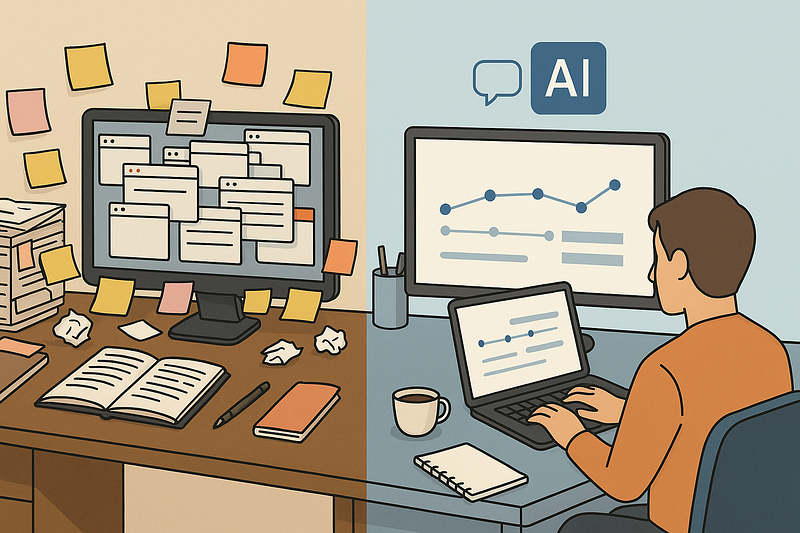
Just you. Ten windows up, flipping through sites, pasting notes into a cluttered file.
With AI
Paste a long article and ask.
“Summarise this in five bullet points. Highlight the main risks and opportunities.”
Or
“Compare these three tools in a table. columns. pricing, top features, who it is best for. Text below. [paste content].”
You don’t handle every part of the creation — instead, you review the AI output, then fix the AI summary.
Practical example
A marketer researching tools for a campaign might spend three hours reading. With AI summaries and comparisons, it often drops to one hour while keeping quality high.
3. Meetings, notes, and follow-ups
If you pick apps that link AI to your calls or schedule, you’ll save tons of time — so much quicker this way.
How AI might help right now
- Create quick notes from meetings, then list the action items.
- Turns rough phone notes into a clean follow-up message
- Converts recurring updates into standardised reports
Example workflow
Once you finish talking with a client, rather than drafting a summary from scratch, drop your messy notes into the doc, then watch it clean everything up.
A few minutes here or there add up fast and become hours every week.
4. Repetitive knowledge tasks
Admin’s a spot where AI works without making noise.
Google’s “AI Works” test in the UK showed staff might save about 122 hours yearly using AI for basic paperwork tasks, such as writing replies, setting up files, or making standard layouts. (Source: Reuters)
Practical examples.
- HR staff taps AI to write routine job posts and mails for applicants.
- Freelancers use AI to create initial versions of proposals or invoices.
- Students tidy up class notes, make study cards, and outline assignments with AI
This doesn’t swap out thinking. Instead, it cuts down the hassle.
Give this seven-day test a go. Watch how moments shift on their own
The quickest way to trust those time gains? Try tracking them during your regular tasks.
Try this easy seven-day test.
Choose three things you do often
For example.
- Writing emails or DMs.
- Drafting articles, social updates, videos, or email notes.
- Looking into topics, then pulling key points together.
- Putting together summaries or presentations.
Try going a full day without using any Artificial Intelligence tools. Just see how it feels
Set a clock on your mobile or try an hour-tracking tool.
- What’s the time needed to finish that weekly report?
- What’s the usual time you spend on emails each day?
- How much time does it take to get your client reports ready?
Keep track of these figures. They’re what you start from.
Revamp those tasks using artificial intelligence
Figure out where AI works best for each job.
- Emails. Get AI to write a first version. Then just adjust the tone.
- Lists of data. Get AI to change bullet points into clean text.
- Research. Get AI to break down information, but verify the main points yourself.
Be specific in your instructions so the tool knows exactly what you want.
Do the same tasks once more. Check how long it takes now
Compare the numbers.
Most folks don’t expect to cut task times by a third or more right away. After several weeks, better prompts and smoother routines usually boost those gains. Polls suggest AI routinely frees up half a workday each week.
Let AI help you. don’t let it take control
The idea isn’t handing off thought. Instead, shift focus away from tasks that don’t matter much toward choices that do.
A handful of limits make sure things stay secure while working well. Yet they also help avoid messes down the road.
- Check results every time. Since AI might make things up or get facts wrong, you’ve got to decide what’s correct. Rely on your gut to spot errors.
- Stay safe. Keep private info to yourself. Never share bank records or personal details using apps your company hasn’t approved.
- Let AI for the first version, but you choose what goes out. especially when talking to clients or posting online.
- Put some effort into picking up new skills. Research and company feedback keep revealing that what holds people back with AI isn’t the tools, but shaky know-how or nervousness.
This method turns AI into something like a tireless helper. Always ready. Yet you’re still in charge when decisions come up.
The true victory isn’t about going fast. It’s staying sharp
What matters most is paying attention, not rushing ahead.
Saving sixty minutes daily sounds great. Yet how you use them counts much more.
- A founder could use that time for planning rather than answering messages.
- A marketer could try out a fresh campaign concept. Using trial runs to check results, or swapping ideas to see what sticks.
- A manager could share thoughtful feedback with staff.
- A freelancer could use it to learn new skills. Then ask for higher pay down the road.
The real change? AI cuts down the hours wasted on email, so you can focus on work only humans handle. Making choices, coming up with ideas, and connecting with others.
You don’t need to change everything at once. Take it step by step.
Begin with just one task. Or maybe two this week. Check how long things take, both before and after. When you notice the shift in your daily rhythm, you won’t need another reminder.
You simply won’t feel like going back.
Looking to build a high-performing remote tech team?
Check out MyNextDeveloper, a platform where you can find the top 3% of software engineers who are deeply passionate about innovation. Our on-demand, dedicated, and thorough software talent solutions provide a comprehensive solution for all your software requirements.
Visit our website to explore how we can assist you in assembling your perfect team.